Email us
Use ordinary email only for general questions. Never send a private document, password or sign-in code by email.
leasealarm@gmail.com
Support and contact
Use the help area inside LeaseAlarm to ask a question and keep every reply together. Support cannot open your stored documents unless an account owner approves a clear reason and a short time limit. That access is recorded.
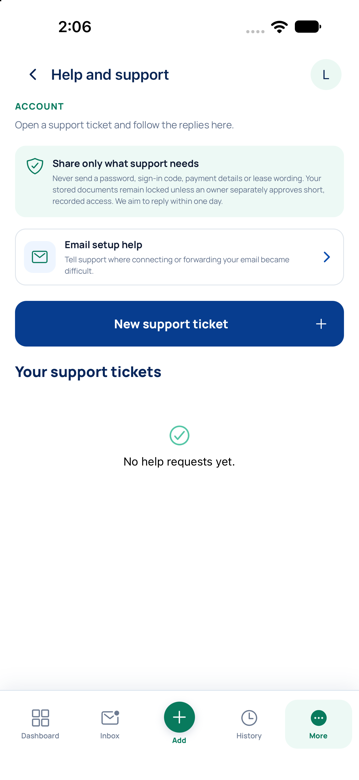
Start or continue a private support conversation.
Use ordinary email only for general questions. Never send a private document, password or sign-in code by email.
leasealarm@gmail.comYou can sign in with email, Google or Apple, reset your password and review the devices signed in to your account.
Open secure sign inSupport cannot open a stored document unless an account owner gives short, recorded approval for a clear reason.
See how your information is protectedCompare every saved date with the original document. If a deadline could affect your rights, money, responsibilities or safety, speak with a qualified professional.
Available on iPhone, iPad, Android and the web. Use the same account across your devices.
Download LeaseAlarm from the App Store or Google Play, then sign in with your account.

Use LeaseAlarm in your browser. No download needed.
Open web appCreate your account on the web or in the app. Your 60 free days start after you save your first lease or other business record. No card required. No automatic charge.