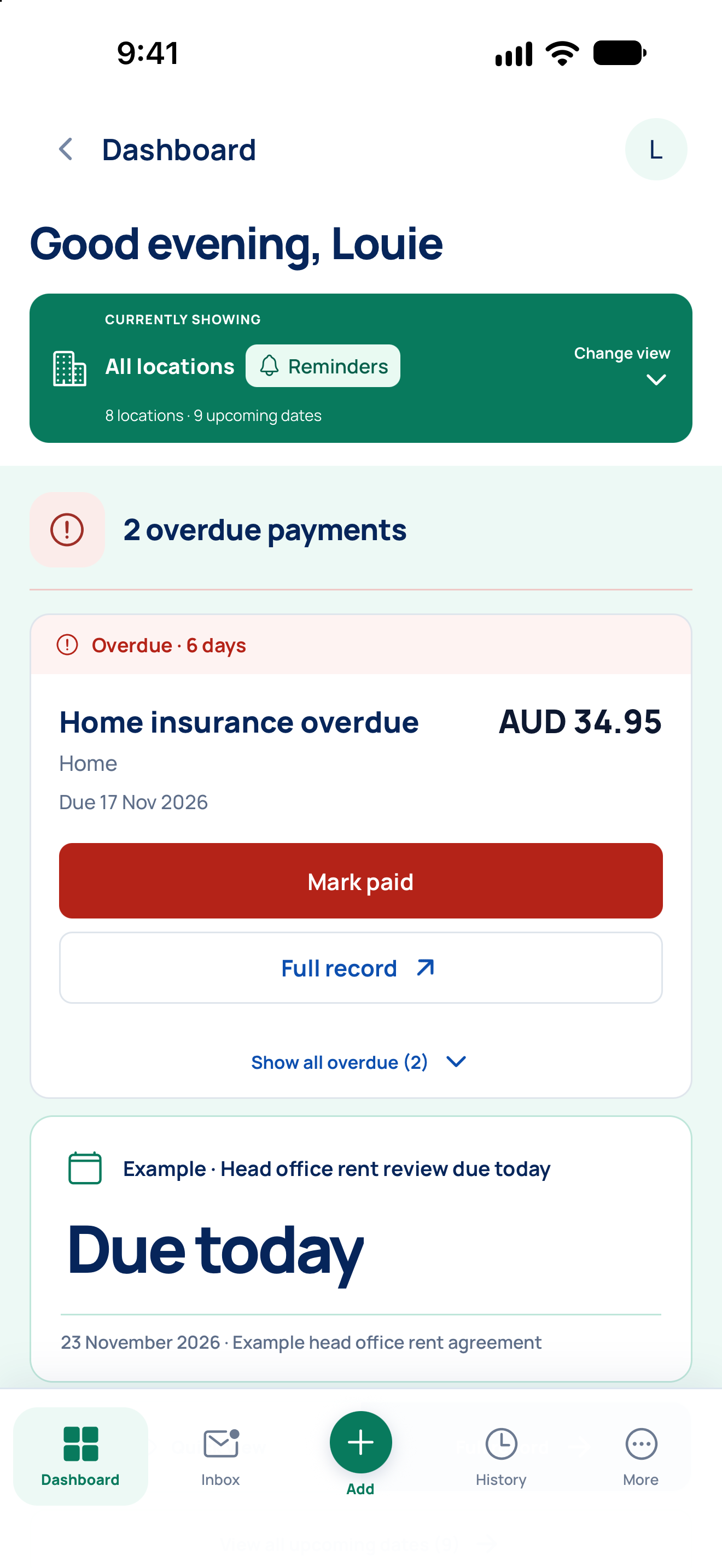
Your day at a glance
See overdue bills, the next important date and your reminders in one place.
Product and how it works
LeaseAlarm brings payments, documents, dates, reminders, tasks and notes together. Choose the record type, add the information, then see what needs attention without searching through inboxes and folders.
Keep the next action with the record it belongs to.
Six simple steps
Always check the original document. A reminder stays off until a person confirms the date.
Choose a PDF or clear photo. You can also enter the details yourself.
Where available, optional automatic reading can suggest details and dates for you to check against the original.
Accept, correct or reject every suggestion. A blank form or general guide cannot create a deadline.
Keep the document, dates, tasks and notes with the bill, policy, licence, lease or contract they belong to.
Reminder emails can start only after a person has checked and confirmed the date.
View important changes and reminder activity without losing the original document.
What it can look for
When automatic reading is available, suggested details stay separate until you check them. Compare each date and next step with the original document before accepting it.
It cannot give legal advice, promise that a date is correct or replace the original document. Handwriting, unclear photos, tables, changed pages and conflicting wording can still be difficult to read. Always check the full document yourself.
Explore the current app
Actual LeaseAlarm screens with example information. Features and limits depend on your plan.
See overdue bills, the next important date and your reminders in one place.
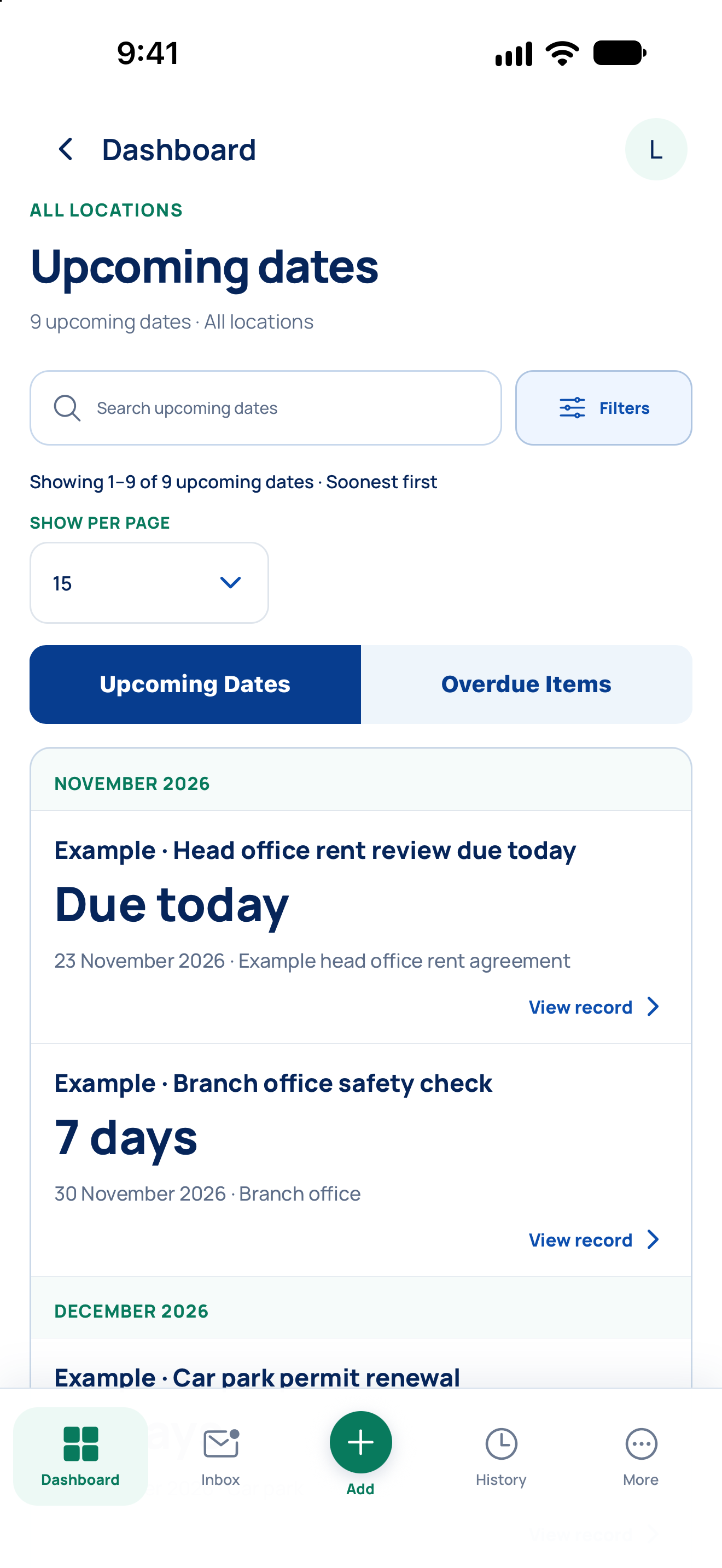
Search important dates and switch between upcoming and overdue items.
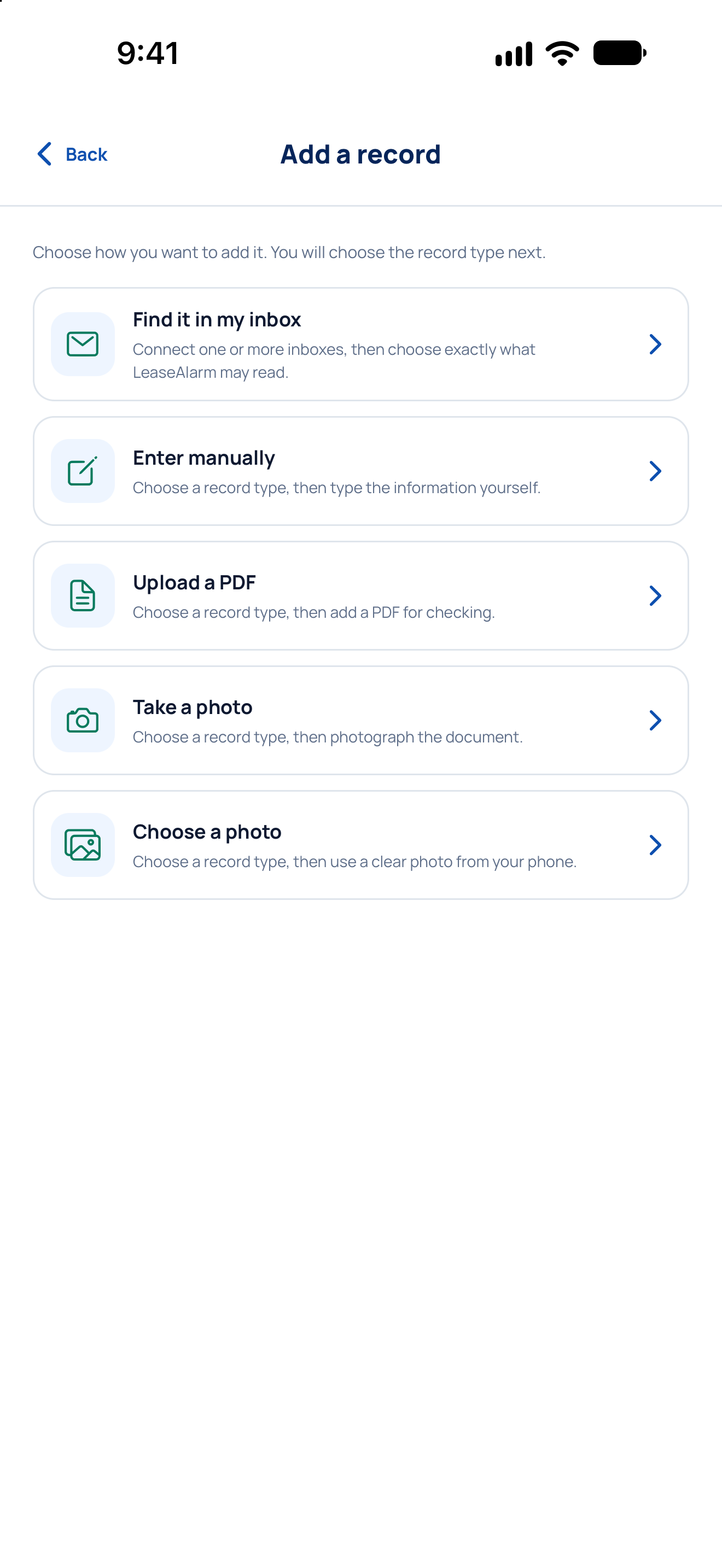
Choose your inbox, a PDF, a photo or manual entry. Review the details before saving.
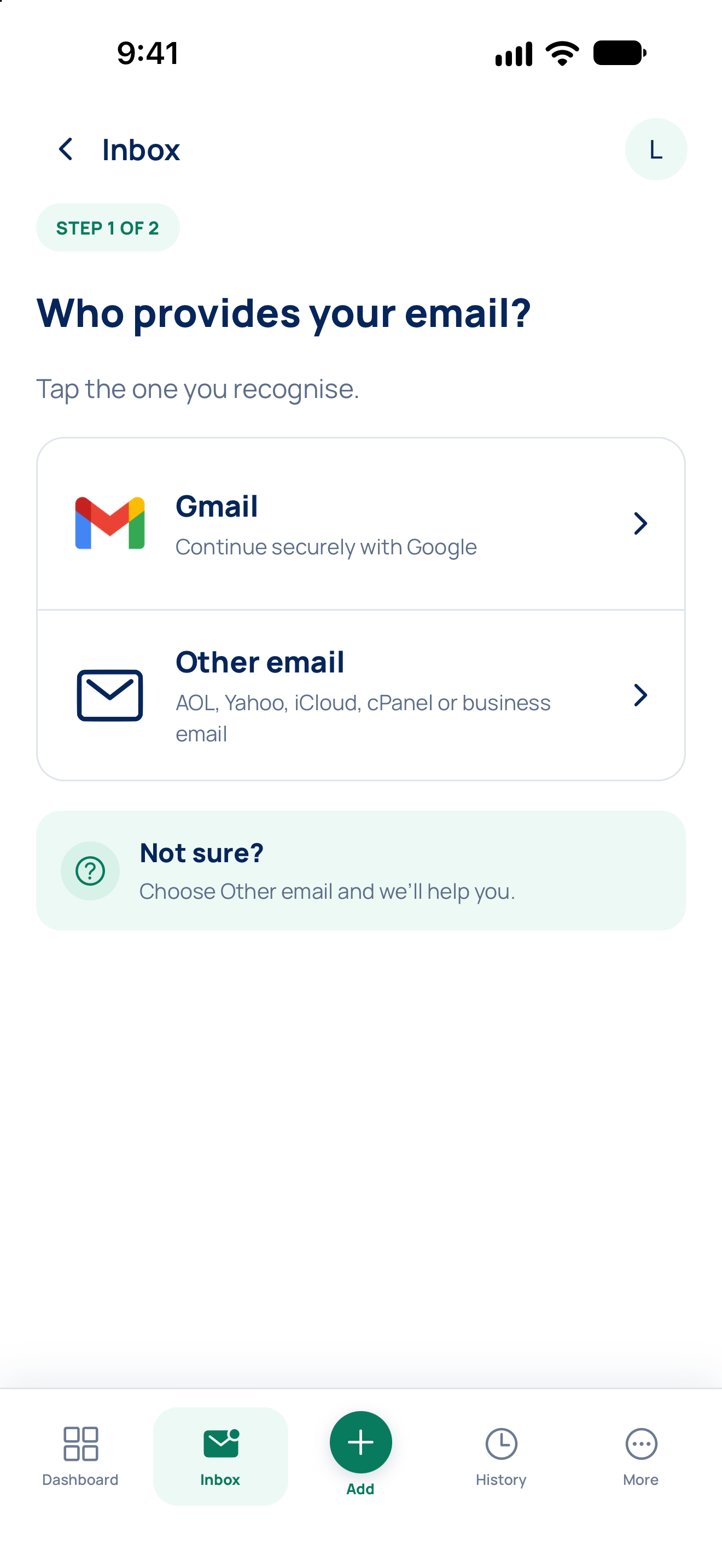
Start with Gmail or another email provider. Available connections are shown in the app.
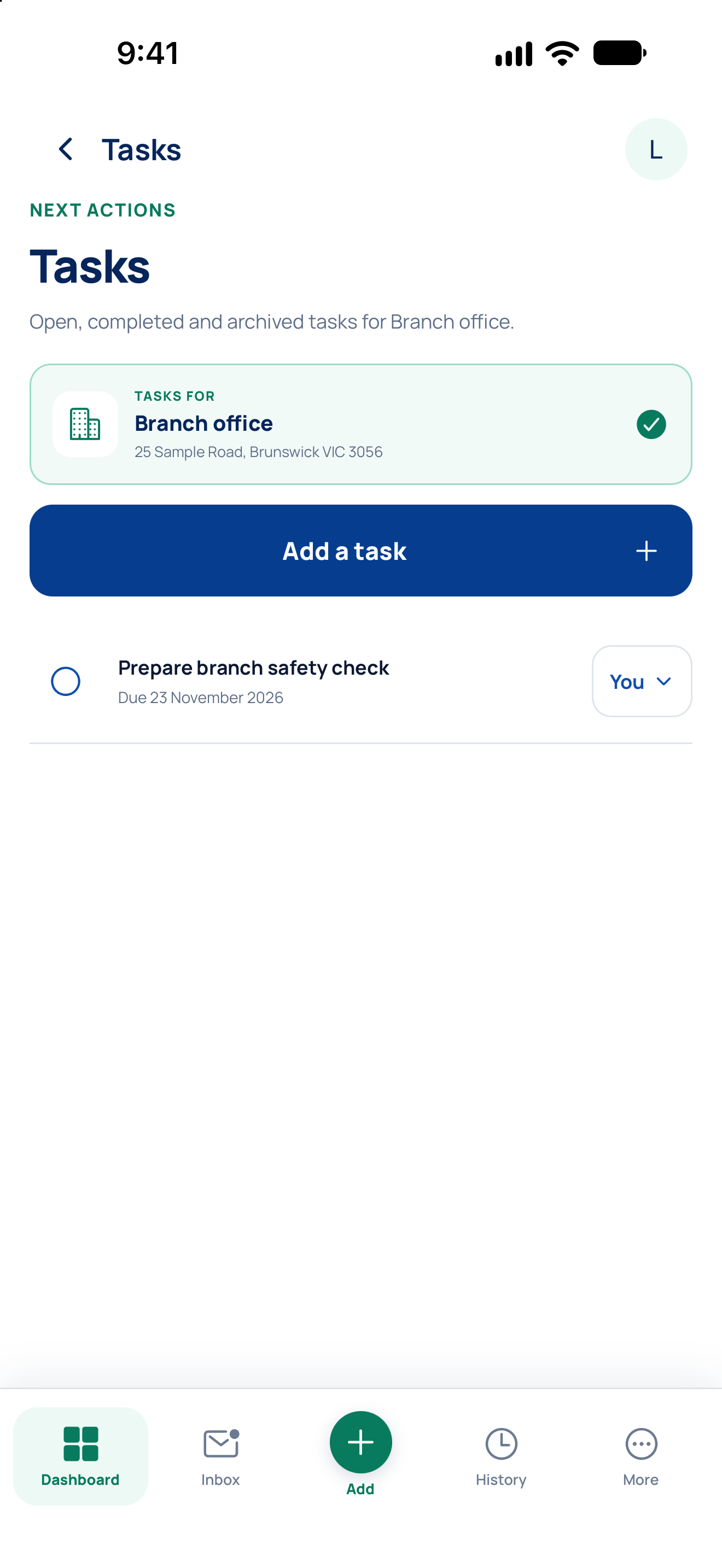
Keep tasks, due dates and the person responsible with the right record.
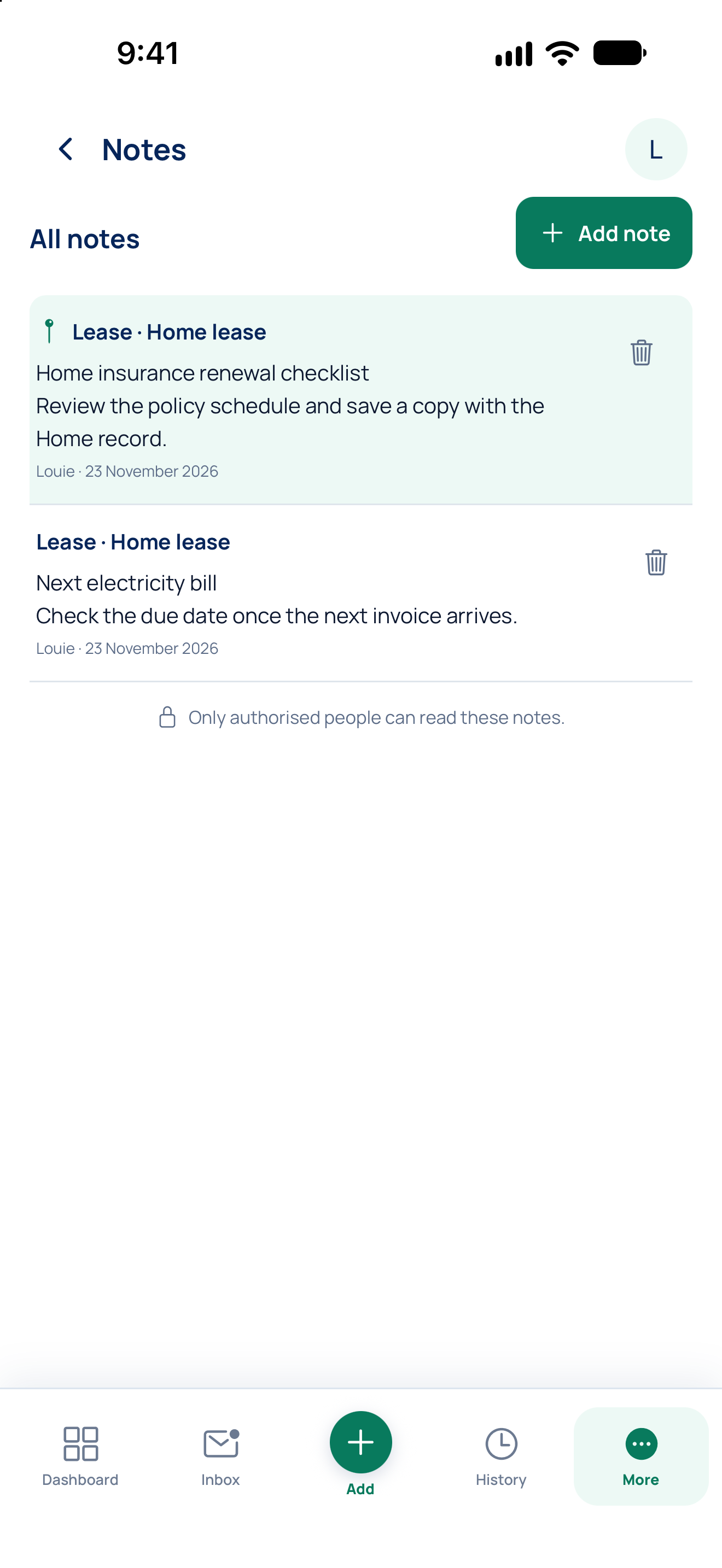
Keep conversations, decisions and useful notes alongside your records.
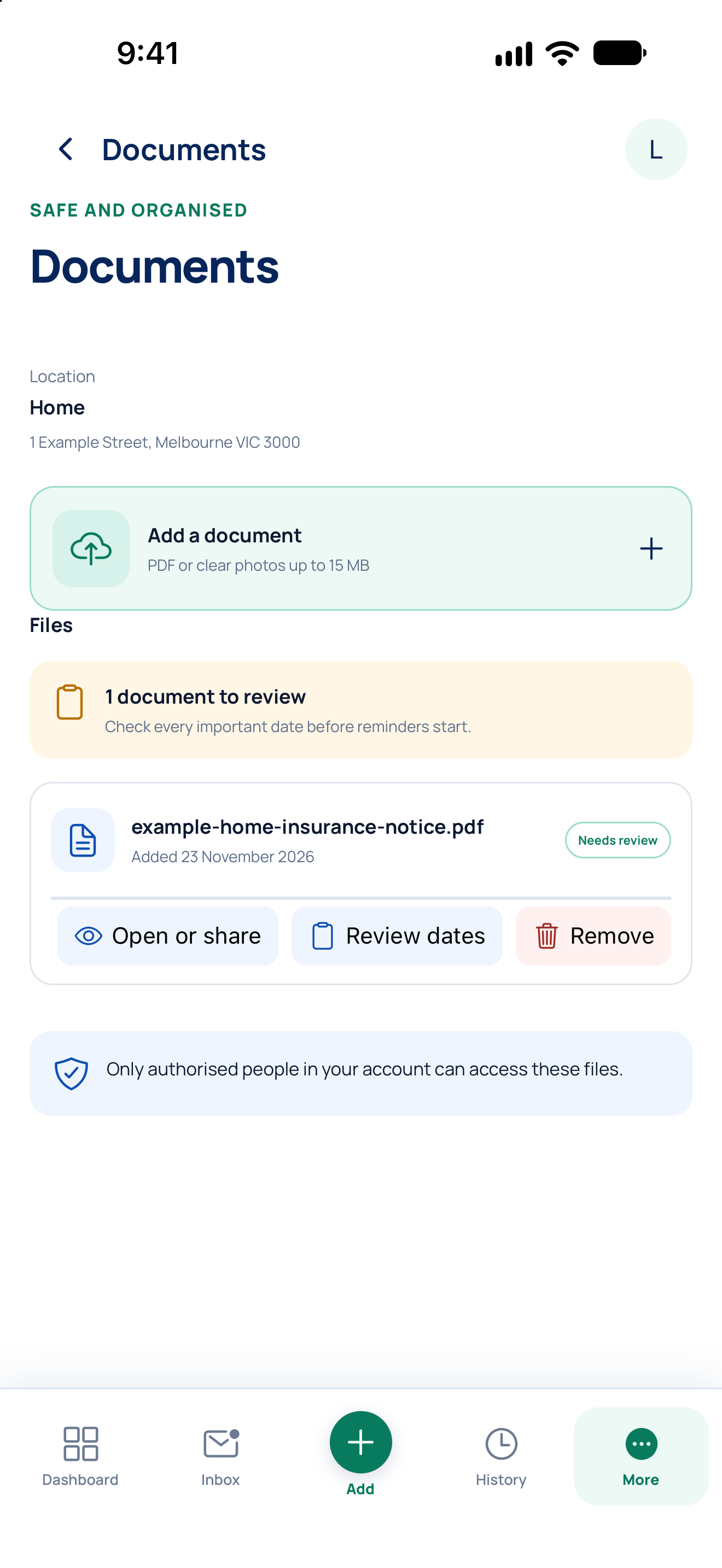
Store documents with their record and review important dates before reminders begin.
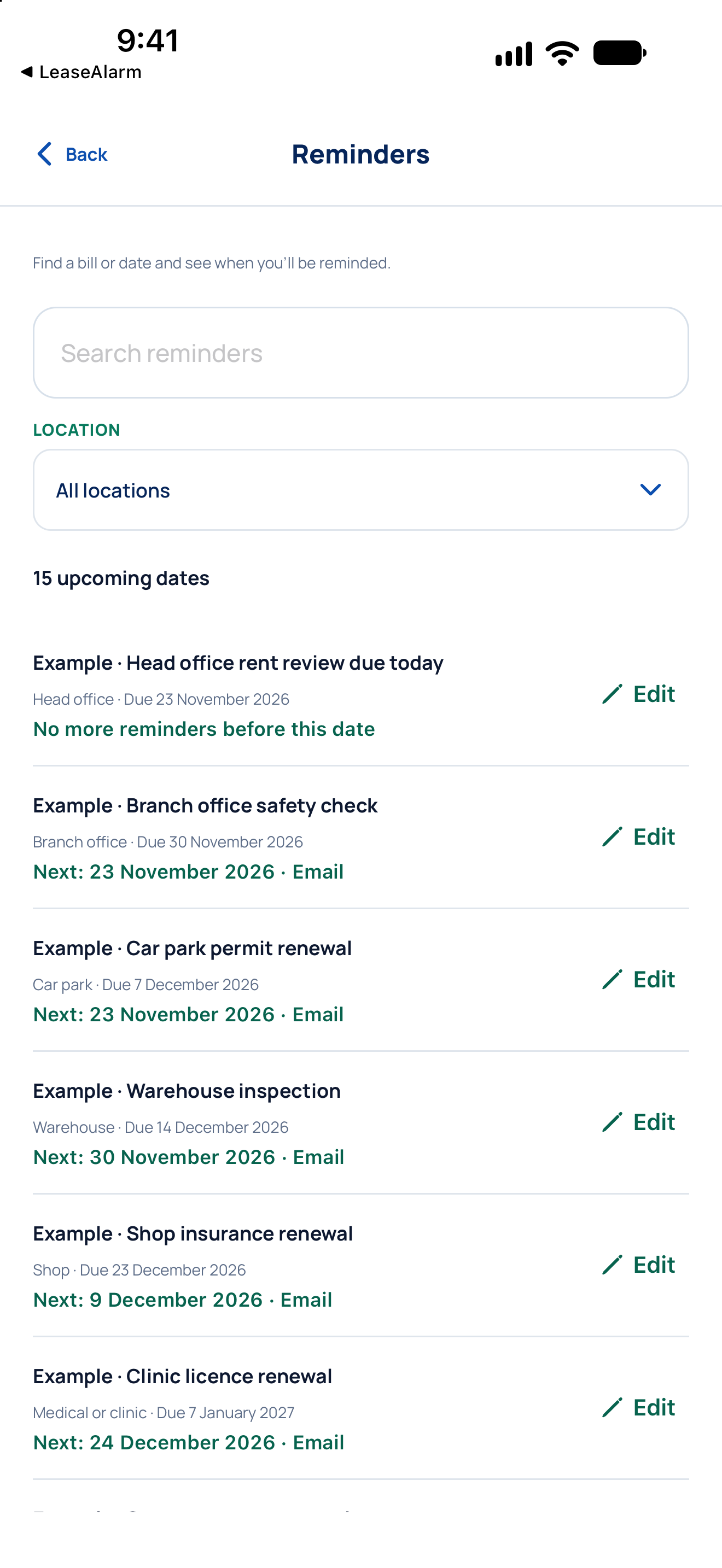
Find a bill or date and check its saved reminder settings.
Ready to try it? Get LeaseAlarm for your phone.

Available on iPhone, iPad, Android and the web. Use the same account across your devices.
Download LeaseAlarm from the App Store or Google Play, then sign in with your account.
Use LeaseAlarm in your browser. No download needed.
Open web appCreate your account on the web or in the app. Your 60 free days start after you save your first lease or other business record. No card required. No automatic charge.